




Notion Teaching Syllabus Planner
A Notion planner for tutors and educators, with your classes, lesson plans and teaching materials in one place.
See upcoming classes in the calendar, prepare each lesson with clear objectives, and keep past lessons easy to find. Duplicate the template into your own Notion workspace, customise it for your teaching, and share it with colleagues when you need to.
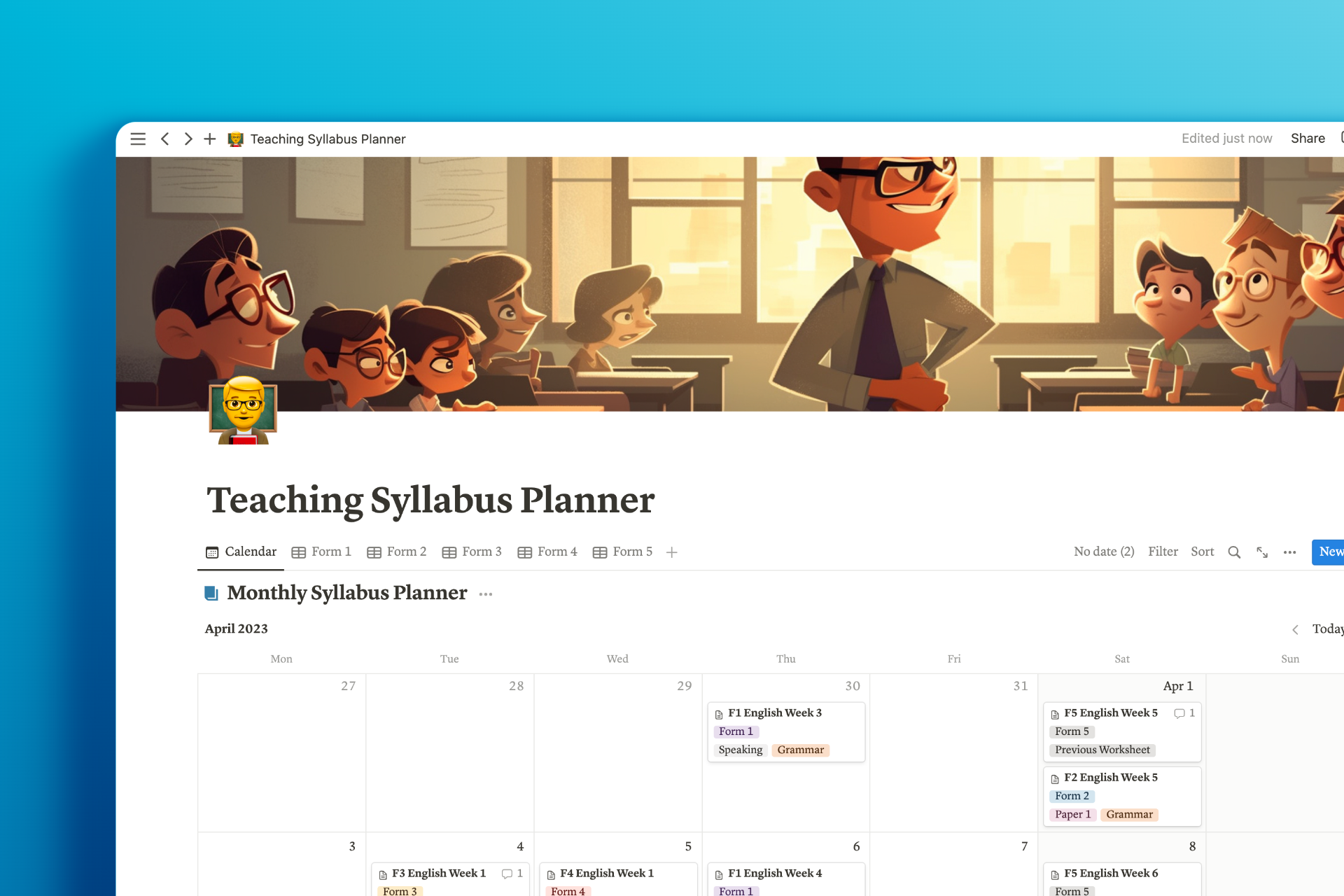
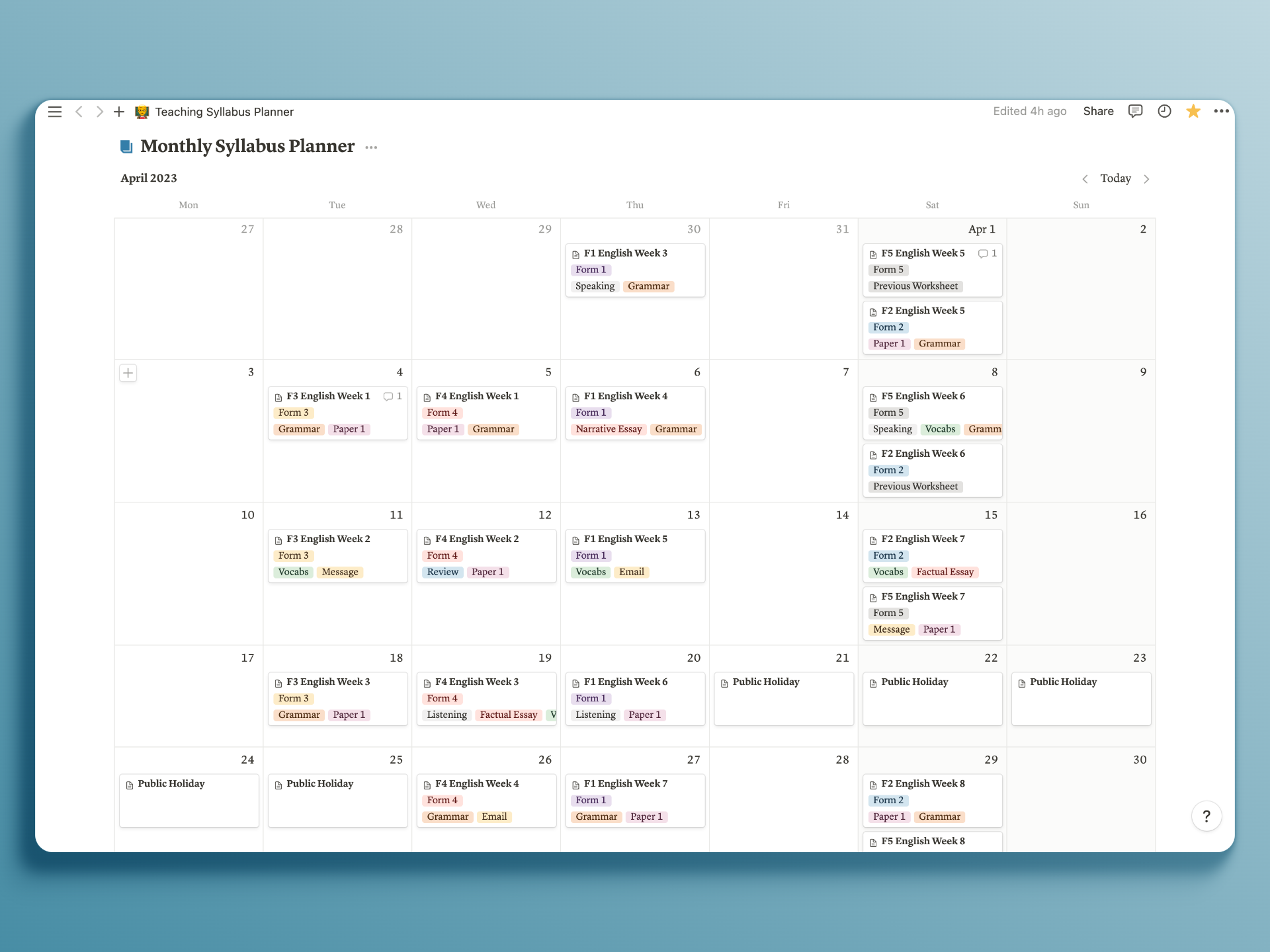
Easy-to-view Calendar
With a clear, intuitive calendar view, you can easily view upcoming classes and events, making it a breeze to manage your time effectively.
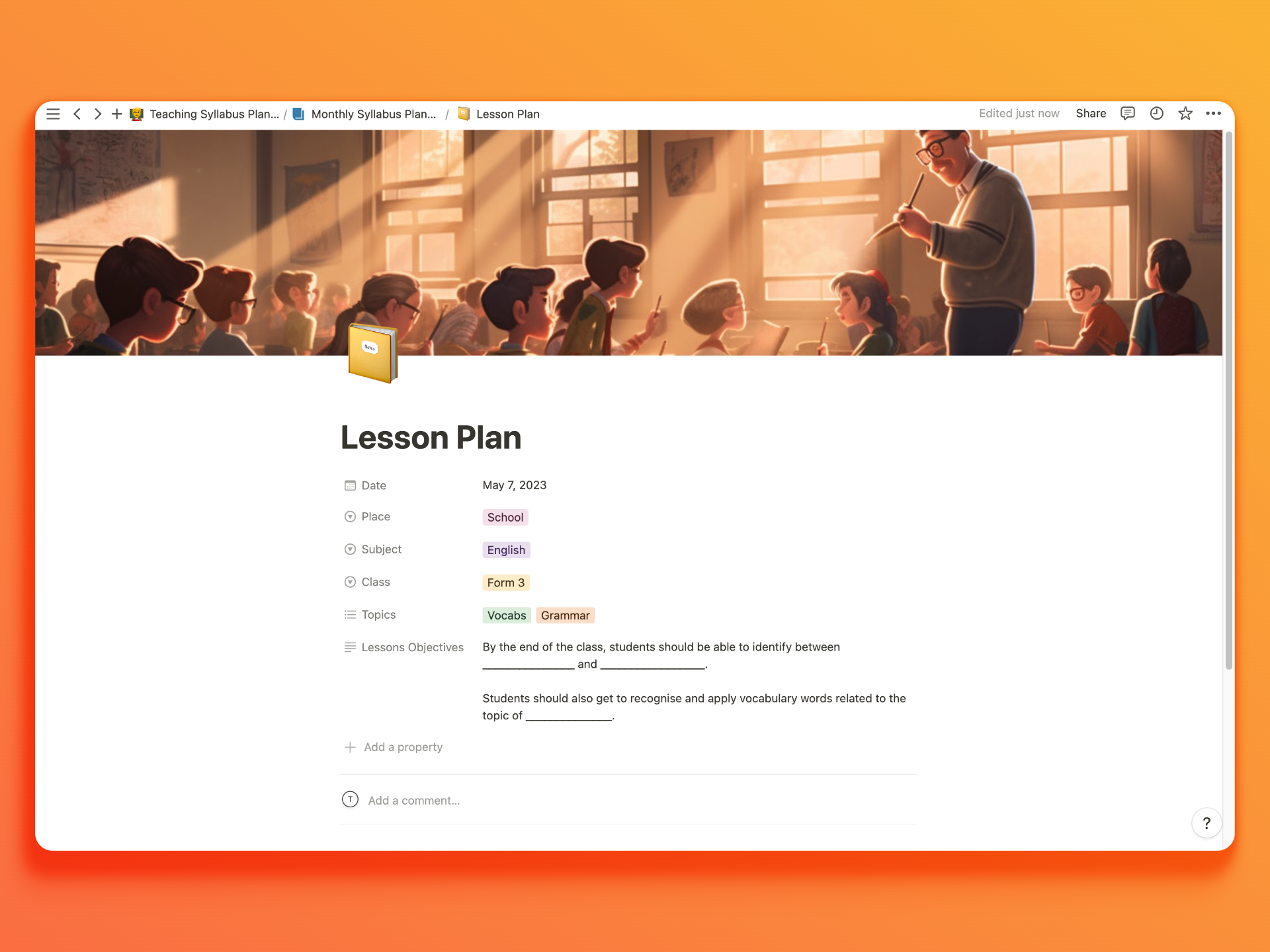
Dedicated Lesson Plan Page
This dedicated space allows you to outline subjects, time, objectives, topics, and class remarks, ensuring that each class is well-planned and tailored to your students' needs.
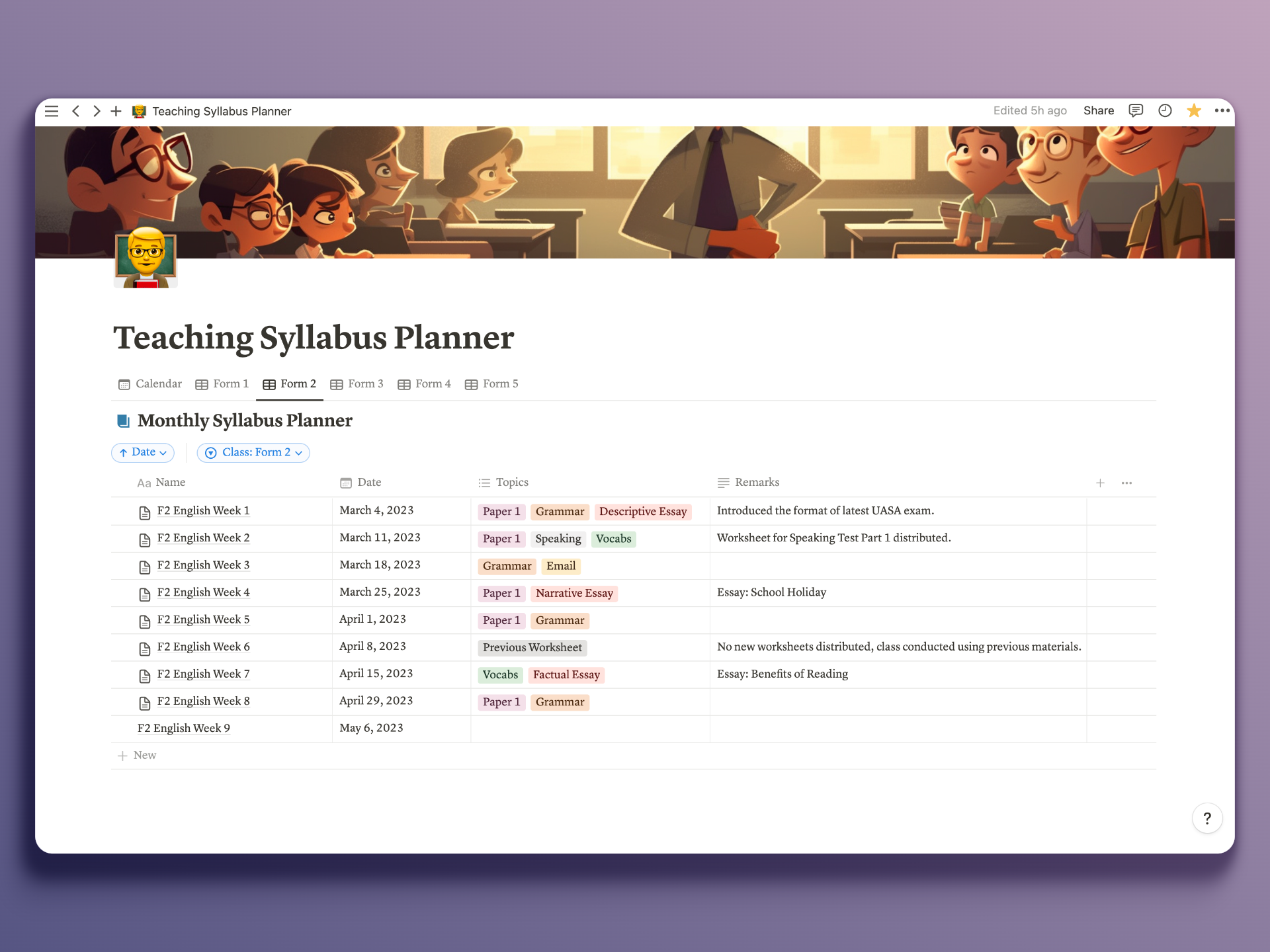
Intuitive Lesson Plan List
Keep your lesson plans and class materials neatly organized with our class lessons list. Effortlessly access the previous lessons you have conducted in an easy-to-view list.
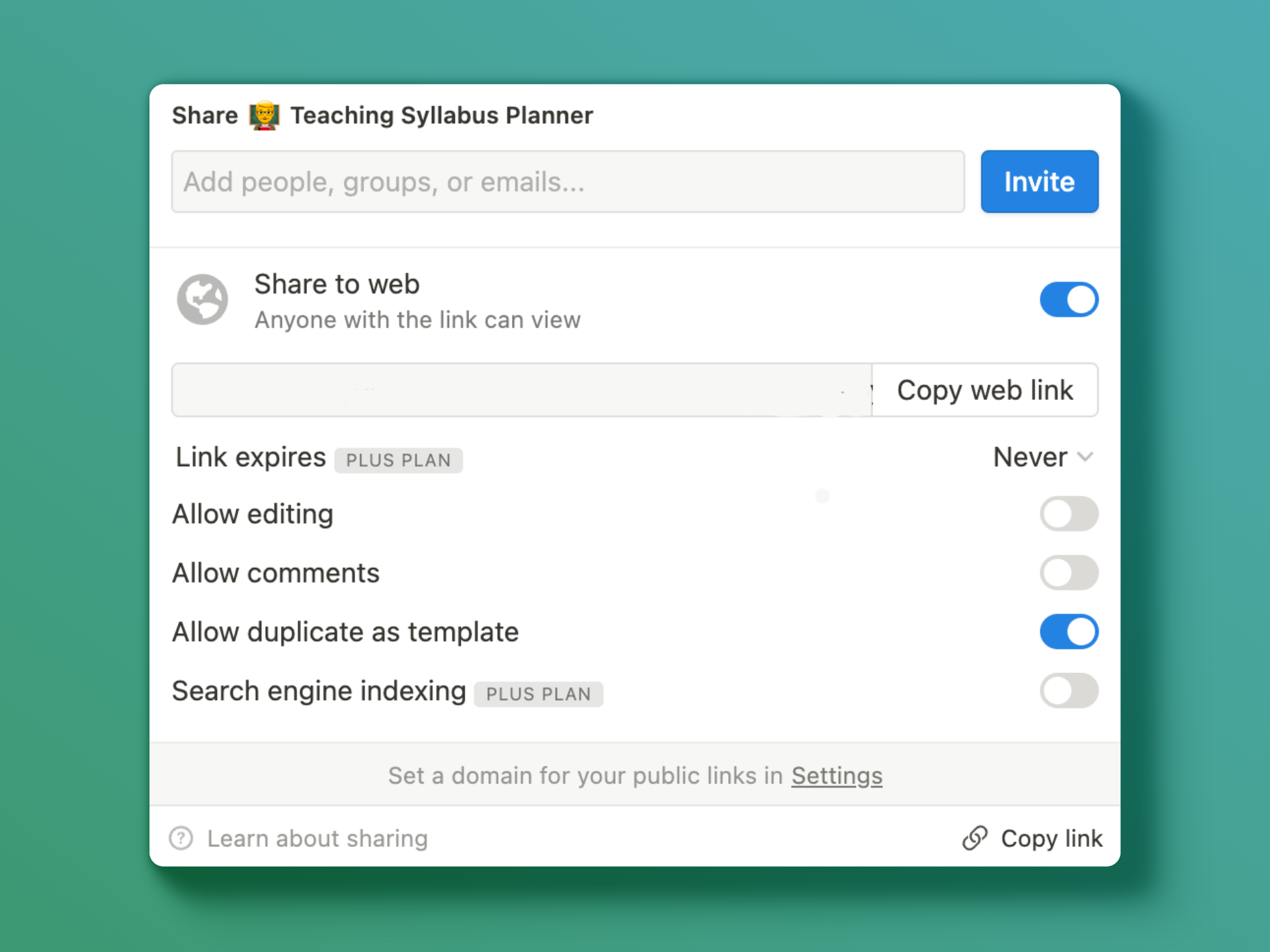
Built-in Collaboration
Collaborate effortlessly with colleagues using Notion's real-time, multi-user editing capabilities. Invite them through emails and start working on the syllabus together!
Customised Cover Pictures
With customised cover pictures, your pages will surely look more vibrant and lively!

Pricing
No subscription. Pay once and use forever.
- Easy-to-View Calendar
- Dedicated Lesson Plan Page
- Intuitive Lesson Plan List
- Built-in Collaboration
Frequently Asked Questions
Do I need a Notion account?
Yes. You need a Notion account to duplicate the template into your workspace and use it.
What is included in the template?
A class calendar, individual lesson-plan pages, a list of past lessons, sharing through Notion, and customisable cover pictures.
How do I add the template to my workspace?
After purchase, open the template link you receive and duplicate it into your own Notion workspace.
Can I use it on desktop and mobile?
Yes. The template can be used in both the desktop and mobile versions of Notion.
Can I adapt it to my teaching style?
Yes. Once duplicated, you can edit lesson content, objectives, topics, remarks and cover pictures in your own copy.
Can I plan lessons with colleagues?
Yes. Use Notion's sharing controls to invite colleagues and give them the appropriate access to work on the syllabus together.
Is this a subscription?
No. The template is a one-time purchase. It is used within your own Notion workspace.
I have also built other projects like Travel-Rizz, a travel itinerary planner and Pacey, a race-training companion, feel free to give them a try!